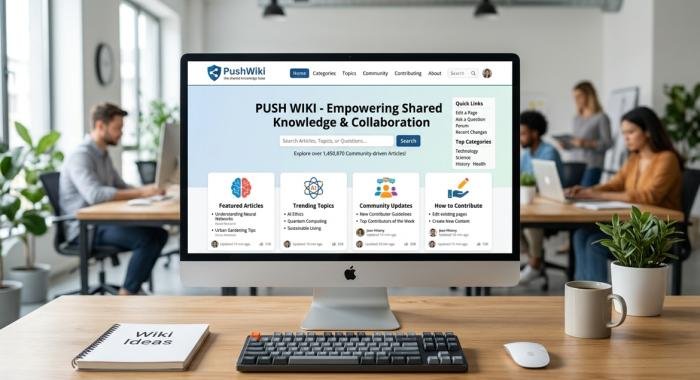

Online platforms have become an important part of how people access information and interact with different websites. Users prefer platforms that offer convenient navigation, accessible content, and a smooth browsing experience.
Pushwiki com is a search term that has attracted interest from users who want to find information about the website, its available features, and overall functionality. Knowing what to check before visiting an online platform can help users make better decisions and enjoy a more convenient browsing experience.
What Is Pushwiki com?
Pushwiki com is the name of an online website that users may search for when looking for information about its platform and available services. Before using any unfamiliar website, it is important to understand its purpose and review the information presented on its official pages.
Every website has its own structure and purpose. Some platforms focus on publishing content, while others provide online resources, digital tools, or different types of services. Therefore, users should avoid making assumptions about a website’s functionality without checking its actual content.
Visitors interested in Pushwiki com should begin by accessing the website directly and examining its main pages. The homepage can provide an initial impression of the platform, including its design, navigation options, and available sections.
Read More: Enphase Battery: Smart Home Energy Storage for Reliable Backup Power
Latest Features and Website Experience
Website features play an important role in determining how comfortable visitors feel while browsing. A website does not necessarily need complicated functionality to provide a positive experience. Instead, its features should serve a clear purpose and help users complete their intended activities. When evaluating Pushwiki com, visitors can consider several important website characteristics.
1. Simple Website Navigation
Navigation is one of the most important parts of any website. Visitors should be able to move between different sections without experiencing unnecessary confusion. A properly organized navigation system may include a homepage link, category menus, search functionality, and clearly labeled sections.
These elements help visitors understand the website’s structure. Users visiting Pushwiki com should pay attention to how easily they can find the information they need. Clear menus and recognizable navigation options can make browsing more comfortable.
2. User-Friendly Interface
A user-friendly interface makes a website easier to use, especially for people who are not familiar with its structure. A clean interface generally includes readable text, balanced spacing, recognizable buttons, and an organized page layout.
These design choices help visitors focus on the information instead of struggling with unnecessary visual elements. An effective website design should also maintain consistency across different pages. Similar layouts, colors, and navigation patterns make it easier for returning visitors to use the platform.
3. Mobile-Friendly Browsing
Mobile devices have become a popular way to access websites. Many people prefer browsing from smartphones because they can access online information without needing a desktop computer. A mobile-friendly website should adjust its layout according to different screen sizes.
Text should remain readable, menus should be accessible, and buttons should be comfortable to tap. Visitors checking Pushwiki com on mobile devices can evaluate whether the pages fit their screens properly. They should also check whether images, menus, and other elements display correctly.
4. Website Loading Performance
Website speed can significantly influence the overall browsing experience. Visitors generally prefer pages that load quickly and respond smoothly. Several factors can influence website performance, including image sizes, hosting quality, scripts, and page structure.
A website with optimized images and properly configured resources may provide a smoother experience. Users can also check whether different pages load consistently instead of judging performance from the homepage alone.
5. Accessible Website Content
Content accessibility is another important part of website usability. Visitors should be able to read information without dealing with confusing formatting or unnecessary interruptions. Well-presented content typically includes descriptive headings, short paragraphs, readable fonts, and properly organized sections.
A Quick Overview of Important Website Factors
| Website Factor | What Users Should Check | Why It Matters |
| Navigation | Menus and page organization | Easier browsing |
| Interface | Layout and readability | Better usability |
| Mobile Support | Smartphone compatibility | Convenient access |
| Loading Speed | Page response time | Smooth browsing |
| Content | Accuracy and presentation | Helpful information |
| Security | HTTPS and privacy policy | Safer browsing |
| Accessibility | Readable text and controls | Inclusive experience |
| Updates | Current website information | Relevant content |
How to Access Pushwiki com
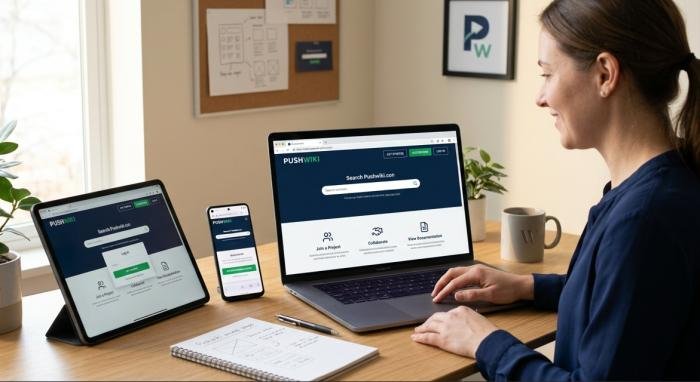
Accessing a website is generally straightforward, but visitors should always pay attention to the accuracy of the website address. Here are some simple steps that can help users visit the correct website:
- Open a trusted web browser on your computer, tablet, or smartphone.
- Enter the official Pushwiki com website address into the browser’s address bar.
- Check the spelling of the domain before proceeding.
- Wait for the homepage to load completely.
- Review the available navigation menus and website sections.
- Read the relevant information before using any available service.
- Check the privacy policy and other website policies when necessary.
Visitors should avoid clicking suspicious advertisements or unfamiliar links that claim to represent the platform. Using the correct website address helps reduce the possibility of visiting an imitation website.
Understanding the Importance of Website Updates
Websites regularly require maintenance and improvements to remain functional. Updates may involve changes to page layouts, navigation menus, content presentation, security settings, or technical performance. However, not every website update introduces new features. Some changes simply correct technical problems or improve compatibility with modern browsers.
Users interested in Pushwiki com should check the website itself for announcements or published update information. If the platform maintains official communication channels, those may also provide useful information about changes.
Why Website Updates Matter
There are several reasons why website updates are important.
Improved Compatibility: Modern websites should work properly with updated browsers and different devices. Regular technical maintenance can help address compatibility problems.
Better Performance: Website optimization may reduce unnecessary loading delays and improve responsiveness.
Security Improvements: Software updates can address vulnerabilities and help maintain a safer browsing environment.
Content Improvements: Website owners may revise outdated information, correct errors, or reorganize published content.
Better Navigation: Menu changes and layout improvements can make important sections easier to access.
Pushwiki com and the Online User Experience
The online user experience refers to the overall impression people develop while interacting with a website. It includes everything from the first page they see to the ease of navigating different sections.
A positive user experience should make visitors feel comfortable and help them complete their intended activities. For Pushwiki com, users can evaluate their browsing experience by considering the following areas.
Clear Information Presentation
Information should be organized logically. Visitors should not need to spend unnecessary time searching through unrelated sections to find basic information.
Descriptive headings, meaningful paragraphs, and recognizable page categories can make a website more convenient.
Consistent Page Design
Consistency helps visitors become familiar with a website. If the same navigation structure appears across multiple pages, users can move between sections more confidently. A consistent design also helps maintain a professional appearance.
Reduced Unnecessary Interruptions
Excessive pop-ups, unexpected redirects, and aggressive advertisements can negatively affect browsing.
A comfortable website experience should allow visitors to access its content without unnecessary interruptions. Users should also be cautious when a page requests permissions that are unrelated to their intended activity.
Easy Access Across Devices
People use different devices depending on their needs and circumstances. A website that works properly on desktop computers and smartphones offers greater convenience.
Responsive design can help ensure that important information remains accessible regardless of screen size.
Safety and Privacy Considerations
Online safety should always be a priority when visiting unfamiliar websites. Even a website with an attractive design should be evaluated carefully before users share personal information or interact with its services. Visitors checking Pushwiki com should follow basic online safety practices.
Check the HTTPS Connection
Look for HTTPS in the website address. An encrypted connection helps protect information exchanged between the browser and the website.
However, HTTPS alone does not guarantee that a website is legitimate or trustworthy.
Review the Privacy Policy
A privacy policy explains how a website may collect, process, store, or share information.
Before submitting personal information, users should review the policy and understand what information may be requested.
Avoid Sharing Sensitive Information
Never provide passwords, banking credentials, verification codes, or other sensitive information unless there is a legitimate and verified reason. Be especially careful with unexpected forms and suspicious messages.
Watch for Suspicious Redirects
Some websites may display third-party advertisements or redirect visitors to external pages. Users should avoid downloading unknown files or installing unfamiliar applications. If a page behaves unexpectedly, closing it is often the safest choice.
Use an Updated Browser
Modern browsers receive security improvements that help protect users against different online threats. Keeping your browser updated can contribute to a safer browsing experience.
Advantages of a Well-Organized Online Platform

A properly designed online platform can provide several benefits to visitors. These advantages are not limited to one particular website; they apply to websites that prioritize usability and accessibility. Some notable benefits include:
- Convenient Access: Visitors can reach available information through organized website sections.
- Simple Navigation: Clearly labeled menus reduce confusion.
- Better Readability: Proper formatting makes content easier to read.
- Device Compatibility: Responsive pages improve accessibility across devices.
- Time Efficiency: Organized information helps visitors find relevant sections faster.
- Improved Usability: Consistent design makes returning visits more comfortable.
- Greater Transparency: Accessible policies and contact information help users evaluate a website.
These characteristics can help visitors assess whether a website meets their expectations.
Common Problems Users May Experience
Not every online browsing session goes perfectly. Technical problems can sometimes affect website accessibility and performance.
Visitors accessing Pushwiki com may want to consider the following common issues when troubleshooting website access.
Website Not Loading
If a website does not open, check your internet connection and refresh the page. You can also try opening the website in another browser.
Slow Page Loading
Slow performance may result from network problems, large images, browser extensions, or website server issues. Try clearing your browser cache or switching to a more stable internet connection.
Mobile Display Problems
If the website does not display correctly on a smartphone, try updating your browser or rotating your device. You can also check whether the same page works properly on a desktop computer.
Broken Links
Some links may stop working when website pages are moved or removed. If a link does not open, return to the homepage and use the main navigation menu.
Unexpected Pop-Ups
Unexpected pop-ups should be treated carefully. Avoid clicking suspicious buttons, downloading unknown files, or granting unnecessary browser permissions.
Understanding these common problems can help visitors respond more confidently when something does not work as expected.
Tips for Getting a Better Online Browsing Experience
A comfortable browsing experience depends on both website quality and user habits. Here are some practical suggestions:
- Use a modern and updated browser.
- Always check the website address before accessing a page.
- Maintain a stable internet connection.
- Avoid unnecessary downloads from unfamiliar sources.
- Review website policies before sharing personal information.
- Use strong and unique passwords when creating accounts.
- Avoid clicking suspicious advertisements.
- Close pages that display unusual warnings or unexpected redirects.
- Check website information from official sources.
- Keep your device and browser security settings updated.
What Should Users Expect From Future Website Improvements?
The internet continues to change as technology develops. Website owners must regularly consider how visitors interact with their platforms and which improvements may provide a better experience.
Future improvements for online platforms may include faster page loading, improved mobile layouts, better accessibility, and clearer content organization. Pushwiki com users should rely on official announcements when checking whether particular changes have actually been introduced.
It is also important to remember that a useful website does not need to add new features constantly. Sometimes, improving existing functionality and maintaining reliable performance can provide greater value than introducing unnecessary tools.
Website owners should focus on making their platforms accessible, secure, and convenient. These priorities can contribute to a positive experience for both new and returning visitors.
Is Pushwiki com Worth Visiting?
Whether an online platform is worth visiting depends on its actual purpose, available content, usability, and reliability. Visitors should first check what the website offers and whether its information meets their requirements. A clear homepage, accessible navigation, transparent policies, and properly functioning pages are useful indicators when evaluating an unfamiliar platform.
Users should also consider whether the website provides accurate information and maintains a consistent browsing experience. Rather than relying entirely on promotional statements, visitors should make their own assessment based on the website’s actual functionality.
Overall, Pushwiki com is a search term that interested visitors can investigate by checking the official website and evaluating its available content and user experience.
Conclusion
Pushwiki com is a website that interested users can evaluate by checking its available content, website navigation, accessibility, and overall performance. Before using any online platform, visitors should verify its official website address, review its privacy policies, and follow basic internet safety practices.
A reliable browsing experience depends on clear information, convenient access, and responsible online habits. Taking these factors into consideration can help users make informed decisions while visiting online platforms.
Frequently Asked Questions
Q1: What is Pushwiki com?
Ans: Pushwiki com is the name of an online website that users may search for when looking for information about its purpose, available content, and website experience. Visitors should check its official pages to confirm what the platform offers.
Q2: How can I access Pushwiki com?
Ans: You can access the website by entering its correct official domain address into your browser. Always verify the spelling of the website address before opening it.
Q3: Is Pushwiki com mobile-friendly?
Ans: Mobile compatibility should be checked directly on the website. Open its pages using a smartphone and see whether the text, menus, and other elements adjust properly to your screen.
Q4: Does Pushwiki com provide regular updates?
Ans: Website updates depend on the platform’s maintenance and publishing activities. Visitors should check official announcements or website pages for verified information about recent changes.
Q5: Is Pushwiki com safe to visit?
Ans: Users should evaluate the website’s security practices before interacting with it. Check for HTTPS, review the privacy policy, avoid suspicious downloads, and never share sensitive information unnecessarily.